
🏊
Caroline
Started the Marathon Plan
Recently
Garmin swimming workouts
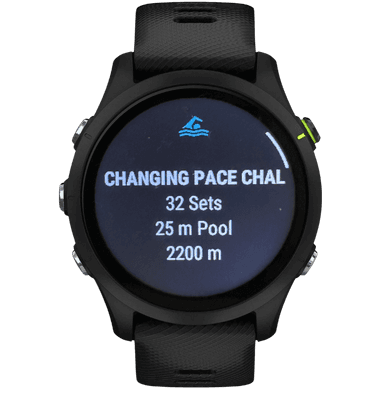
DuoSwim connects structured swimming plans with compatible Garmin watches. You prepare the training context in DuoSwim, open the intended workout on Garmin, follow the set in the pool, and then review the completed session as part of the plan.
Send the purpose and structure of a planned swim to a compatible Garmin watch.
Keep pool length, pace, and workout selection aligned before starting.
Use completed Garmin swims as evidence within a longer training block.
Garmin is useful at the execution stage of training. The watch is close enough to check between repeats, so the session can stay structured without a printed set or repeated trips to a phone at the end of the lane.
DuoSwim supplies the planning layer around that device workflow. The app provides goal-based plans and workout context; a compatible Garmin watch helps carry the selected session into the pool. The watch does not replace choosing an appropriate plan or reviewing how the week is progressing.
Watch guidance is especially helpful when the main set changes distance or effort, when rests need to stay consistent, or when a longer session contains several blocks. It can also make unfamiliar workouts easier to follow because the sequence is available at the pool.
If you already train with a coach on deck, write every session yourself, or mostly complete uninterrupted easy swims, basic recording may be enough. DuoSwim is more relevant when you also want a plan, prepared workouts, and a record that helps shape what you do next.
Most problems are easier to prevent before the swim. Confirm that the intended workout is available, that you are using the correct DuoSwim account and Garmin connection, and that pool settings match the lane you are about to use.
At the end, save the completed activity and allow it to sync before judging the data. If distance or pacing looks unusual, check pool length and workout selection first rather than immediately changing your training targets.
Garmin activity recording and DuoSwim training solve related but different problems. One captures a swim; the other connects that swim to a planned progression.
| Consideration | Garmin activity recording only | DuoSwim |
|---|---|---|
| Session choice | You bring your own set or decide the swim at the pool. | You select a structured workout from a goal-based plan. |
| Set execution | You manage repeats and recoveries separately. | The intended workout can be followed on a compatible Garmin watch. |
| Progression | Recorded sessions can be reviewed, but programming remains separate. | Completed sessions sit within the sequence of a DuoSwim plan. |
| Watch requirement | A Garmin watch is the recording device. | Garmin is optional because DuoSwim workouts can also be used from the phone. |
A reliable session starts with matching the app, watch, and pool setup. Use this sequence before you push off.
Use the shorter poolside checklist before a watch-guided workout.
Understand where wearable data helps and how to keep settings consistent.
Read the equivalent guidance for swimmers using Apple Watch.
Find a plan whose goal, volume, and workout structure fit your swimming.
Start with the right DuoSwim plan, check the pool settings, and use your compatible Garmin watch to keep the session available in the water.


Caroline
Started the Marathon Plan
Recently